How to Estimate AI Agent Costs Before You Launch
A step-by-step method for turning traffic, token counts and retry rates into a monthly cost range, and for checking the estimate against real traces afterward.

In this guide16 sections
At a glance

An agent bill is five numbers multiplied together. Most estimates go wrong in the second and fifth, not in the price.
This guide is for engineers, founders and finance partners who need a believable monthly number for an AI agent before real traffic arrives. By the end you will have a repeatable estimate with a low, expected and high case, a list of the multipliers that usually get forgotten, and a plan to replace guesses with measurements in the first week of production.
If you want to skip straight to the numbers, the free AI cost estimator runs everything in this article in your browser. Type your traffic and token counts, and it shows cost per run, cost per finished task and cost per month. Come back here when you want to know why a number moved.
The operating model: Count, Price, Multiply, Verify
The method has four moves, and the article follows them in order.
- Count the work: runs per day, model calls per run, tokens per call.
- Price the work: input and output rates, cache discounts, other paid tools.
- Multiply for reality: retries, failed runs, growth and peak days.
- Verify against traces once real runs exist, then replace each assumption with a measured value.
| Move | Question it answers | Typical mistake |
|---|---|---|
| Count | How much work does one task really cause? | Counting the happy path only |
| Price | What does a unit of that work cost? | Using a list price that ignores caching or contracts |
| Multiply | What does the system do that the happy path does not? | Forgetting retries and failed runs |
| Verify | Does production agree with the estimate? | Never looking again after launch |
Nothing here needs a spreadsheet more complicated than one row. The skill is in choosing honest inputs, which is why most of this article is about where each input comes from.
Start with the unit: one finished task
Before any arithmetic, decide what you are pricing. A token is too small, and a month is too large. The unit that matches how your business works is a finished task: one support ticket resolved, one report written, one booking made.
Pricing per finished task gives you three advantages. It lets finance compare the agent with the human or software step it replaces. It makes failed work visible, because a run that burns tokens and does not finish raises the price of every success. And it survives model changes: a cheaper model that fails more often can cost more per finished task, which a per-token view would hide. The longer treatment lives in AI agent cost per task, and this article is the planning-side companion to it.
Write down what "finished" means
Pick a definition you can check later from a trace: the run ended without an error, the final tool call succeeded, the user did not reopen the ticket within a day. A vague definition makes your success rate meaningless, and the success rate divides your whole estimate.
Field note: Choose the definition of success before you look at cost. If you choose it afterward, it will drift toward whatever makes the cost look acceptable.
Count the work
Counting is where most of the error lives, so spend the effort here.
Runs per day
Start from the business, not the model. How many tickets, documents, sessions or jobs arrive per day? Use three values: a quiet day, a typical day and a peak day. If you are launching to an existing user base, look at the volume of the manual process the agent replaces. If you are launching to a new audience, use the most pessimistic funnel you can defend and treat growth as a separate scenario, not as a fudge on the base number.
Remember that a user action is not always one run. A chat interface can start a run on every message. A background agent can start one per event. A scheduled job can start one per record. Write the trigger next to the number so a reader can challenge it.
Model calls per run
This is the input most likely to be wrong, and the one with the widest spread. A simple agent might make one call. A tool-using agent usually makes several: one to decide, one or more to act on tool results, one to write the answer, and sometimes one to check it.
Estimate from the design, then widen the range:
- A fixed pipeline has a known number of calls. Count them.
- A loop has an average and a tail. If the loop is capped at ten turns, plan for the cap as your high case, not the average.
- Sub-agents multiply calls. If an orchestrator calls three workers that each make four calls, that is thirteen calls with the orchestrator's own step, not four.
When the agent exists but is not in production, run it on twenty to fifty realistic tasks and record the number of calls per run. Use the median for your expected case and the 90th percentile for your high case. Twenty hand-picked demo prompts will flatter you; sample from real or realistic traffic.
Tokens per call
Each call has input tokens (everything you send) and output tokens (everything the model writes back). They are priced separately, and output is normally priced higher per token, so the split matters.
Input is usually the larger number, and it is made of several parts: the system prompt, tool definitions, conversation history, retrieved documents and tool results. In a multi-turn agent, input grows as the run goes on because each call carries what came before. That means "average tokens per call" is a poor single number; the last call in a run is often several times larger than the first. The companion piece on tracking LLM token usage shows how to measure each part.
For planning, use a per-call average taken from a sample run, then check it against the longest run you can find. If the longest run is three times the average, that gap belongs in your high case.
| Input source | Grows during a run? | What to check |
|---|---|---|
| System prompt | No | Its length, once |
| Tool definitions | No | How many tools are sent on every call |
| Conversation history | Yes | Whether old turns are summarized or dropped |
| Retrieved documents | Per retrieval | Chunk size and how many chunks |
| Tool results | Yes | Whether large payloads are trimmed |
Price the work
Pricing sounds like the easy part: look up the rate. It rarely is, for three reasons.
Use your own rate card
Providers publish prices per million tokens, with separate rates for input and output. Rates change, differ between models, and may differ from what you pay under a contract or credit agreement. Always take the rate from your provider's current price page or your invoice, and write down the date you read it. The estimator on this site ships with three round example rates so that it works out of the box, but they are placeholders, not anyone's price list.
The same rule applies in Tracify. The platform records token counts exactly as the provider reports them, and it never guesses a price. If you want USD cost on a span, you supply your own rates, which keeps the numbers honest when your prices change.
Account for caching
Many providers charge less for input tokens that repeat from a recent call, such as a long unchanged system prompt or tool list. If your prompt has a stable start, a large share of your input can be cheaper. But the discount only applies if the repeated part is identical and arrives within the provider's cache window, so do not assume the best case. Model it as a share of input tokens (say zero, then forty, then seventy percent) and see how much the bill moves. The estimator has a field for exactly this.
Operating note: Treat caching as an optimization you will measure later, not a saving you can bank at launch. Plan with a low cache share and let traces prove the better one.
Add the costs that are not tokens
Agents call things. A web search API, a vector database query, a code sandbox, an OCR service or a paid data lookup each add cost per run. Add them as a flat amount per run, or per call if they scale with calls. Skipping them is how an estimate that is correct about the model ends up wrong about the invoice.
Multiply for reality
The previous steps describe a clean run that finishes first time. Production has three more multipliers.
Retries
When a tool times out, a response fails validation or a user asks again, the agent often repeats work. Express this as the share of runs that repeat once, then increase it for your high case. A five percent retry rate adds five percent to the bill. A thirty percent rate adds nearly a third, and retries tend to cluster: a flaky dependency can push the rate high for an hour and cost more than a quiet month.
Failed runs
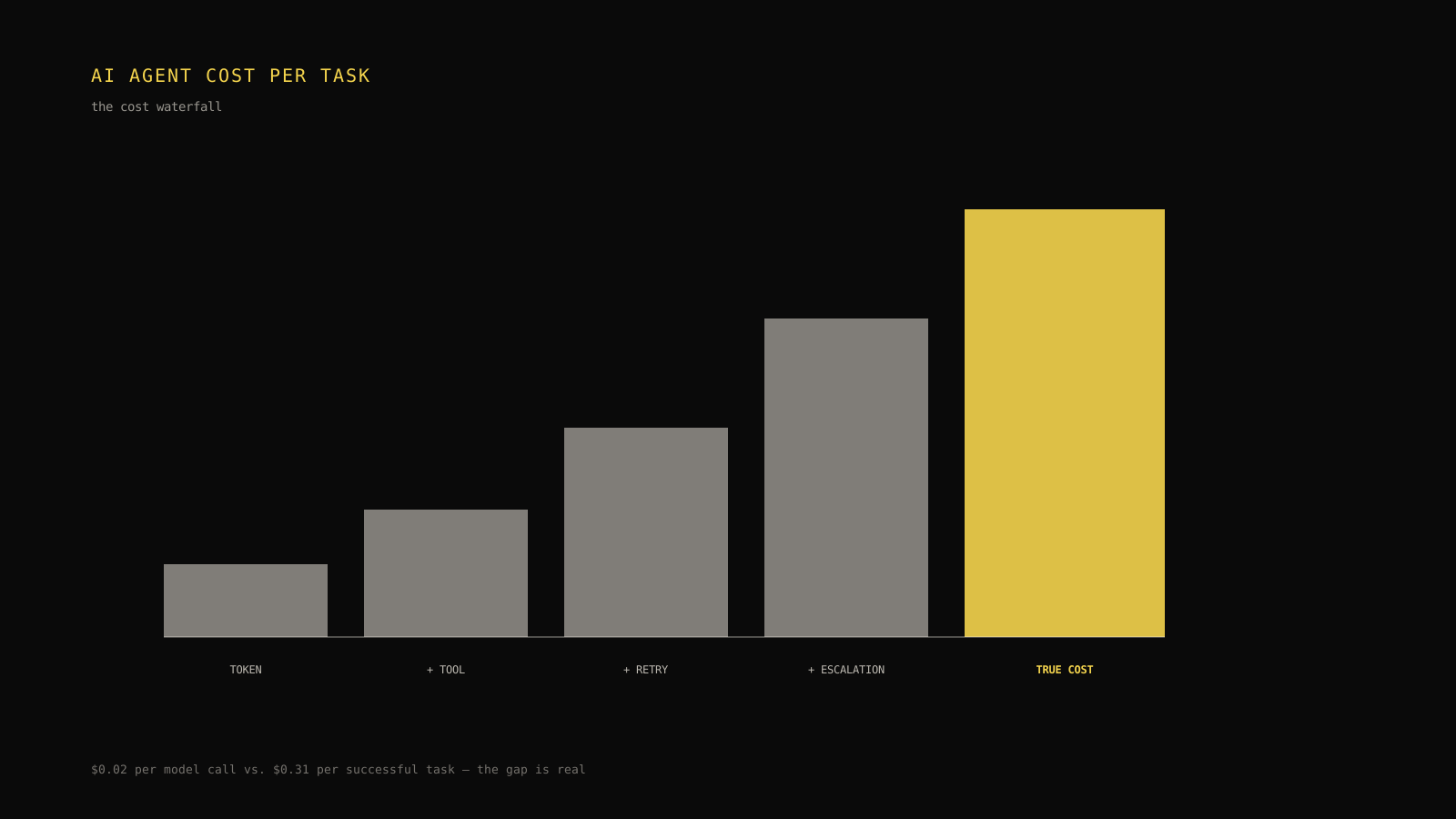
A failed run spends tokens and delivers nothing. If ninety-two percent of runs finish the task, the cost of a finished task is the total spend divided by 0.92, which is about eight and a half percent higher than the cost of a run. At seventy percent the gap is over forty percent. This is the multiplier that makes quality and cost the same conversation: raising the success rate lowers your price per finished task even if the per-token price does not move.
Growth and peaks
Estimate a launch month, a steady state and a growth case. Also check the peak day, because rate limits, queueing and fallback to a more expensive model during peaks can change your price at exactly the moment volume is highest.
Do the arithmetic once, by hand
Here is the full formula, and then a worked example you can reproduce.
cost per call   = (input tokens × input price + output tokens × output price) ÷ 1,000,000
cost per run    = cost per call × calls per run × (1 + retry rate) + other cost per run
cost per finished task = cost per run ÷ success rate
monthly cost    = cost per run × runs per day × 30
Take a support agent with these inputs. These are made up for the example and are not a real price list.
| Input | Value |
|---|---|
| Runs per day | 2,000 |
| Model calls per run | 6 |
| Input tokens per call | 3,000 |
| Output tokens per call | 400 |
| Input price | $1.00 per million tokens |
| Output price | $4.00 per million tokens |
| Retry rate | 8% |
| Success rate | 92% |
One call costs 3,000 × $1.00 ÷ 1,000,000 plus 400 × $4.00 ÷ 1,000,000, which is $0.0030 plus $0.0016, or $0.0046. Six calls cost $0.0276. With an eight percent retry rate, one run costs $0.0276 × 1.08, about $0.0298. Across 2,000 runs a day and 30 days, the month comes to about $1,788. Divide the run cost by 0.92 and a finished task costs about $0.0324.
The point is not the number. The point is that every line of that sum is something you can change, challenge or measure, which a single gut-feel figure is not.
The same estimate in code
If you prefer to keep the estimate next to your tests, a few lines of code do the same job. This is an illustrative sketch with example inputs, not part of any SDK.
type Inputs = {
  runsPerDay: number;
  callsPerRun: number;
  inputTokens: number;
  outputTokens: number;
  inputPricePerM: number;
  outputPricePerM: number;
  retryRate: number; // 0.08 means 8%
  successRate: number; // 0.92 means 92%
  otherCostPerRun?: number;
};

export function estimateMonthly(i: Inputs) {
  const perCall =
    (i.inputTokens * i.inputPricePerM + i.outputTokens * i.outputPricePerM) / 1_000_000;
  const perRun = perCall * i.callsPerRun * (1 + i.retryRate) + (i.otherCostPerRun ?? 0);
  return {
    perRun,
    perFinishedTask: perRun / i.successRate,
    perMonth: perRun * i.runsPerDay * 30,
  };
}
Run it with three sets of inputs, low, expected and high, and keep all three numbers. A single estimate invites false confidence. A range invites a conversation about which input is worth tightening.
Build a low, expected and high case
A planning range beats a point estimate because it shows where the uncertainty is. Fill a table like this for your own agent.
| Input | Low | Expected | High |
|---|---|---|---|
| Runs per day | Quiet day volume | Typical day | Peak day |
| Calls per run | Median from a sample | Mean from a sample | 90th percentile or loop cap |
| Input tokens per call | Short runs | Average | Long runs |
| Cache share | 0% | What you can defend | What the provider documents |
| Retry rate | Current staging rate | Staging rate plus a margin | A bad dependency day |
| Success rate | Target | Staging result | Staging result minus a margin |
Then compute three bills. If the high case is ten times the low case, you have learned something valuable: your estimate is dominated by one or two inputs, and measuring those is worth more than polishing the rest. Often it is calls per run or input tokens on long runs.
See which lever saves the most
Once you have an estimate, you will want to know how to lower it. Testing each lever alone against your numbers is more useful than reading a generic list.

Illustrative shape only. The order changes with your mix of input and output tokens, your retry rate and your model prices.
The usual levers are:
- Trim the input. Shorter prompts, fewer retrieved chunks, summarized history and trimmed tool results cut the largest token pool.
- Cache the stable prefix. Keep the start of the prompt identical between calls so a provider can reuse it.
- Route simple calls to a smaller model. Only safe when your own evaluations show quality holds.
- Reduce retries. Better tool error messages, bounded retry counts and faster dependencies shorten the retry tail.
The estimator's "Where you could save" panel runs each of these against your inputs and sorts them by monthly saving, so you can see the effect before you build anything. The deeper trade-offs, especially the quality risk of cheaper models, are covered in how to reduce LLM costs without hurting quality.
Decision rule: Never accept a cost saving that lowers the success rate without recalculating the price per finished task. A saving that fails more tasks can raise the real price.
Why levers do not add up
If trimming input saves 20% and caching saves 15%, the two together do not save 35%. Caching discounts input tokens, and trimming removes some of those tokens first, so they overlap. Treat each lever as a separate experiment, apply them one at a time and re-measure.
Protect the estimate from common traps
A few mistakes appear again and again.
Planning from a demo. A demo is the shortest, cleanest path. It has no retries, a short history and a patient tool. Use realistic tasks.
Ignoring output tokens. Long answers, verbose reasoning and large structured outputs can make output the main cost even though input is larger in count, because the price per token is higher.
Forgetting the second model. Many agents use a cheaper model for routing and a stronger one for answers, or a separate model for checks. Add every call, with its own price.
Pricing the model but not the plumbing. Search, storage, queues and observability have costs too. They are usually smaller than model spend, but not always zero.
Treating the estimate as a commitment. It is a plan. The honest framing for a stakeholder is "we expect this range, here is what moves it, and we will report the measured number after a week."
Protect the budget as well as the estimate
An estimate says what you expect. A budget limit says what you will allow. If an agent can loop, a bug can turn a $2,000 month into a $20,000 day. Decide the guardrails before launch:
- A maximum number of model calls per run, enforced in code.
- A per-run cost ceiling that stops the run and records why.
- A daily or hourly spend alert, so a runaway surfaces within hours, not at the end of the month.
- A kill switch for the most expensive path.
None of these requires new infrastructure. Even a counter in the agent loop that stops at a hard cap turns an unbounded risk into a bounded one. Pair it with a budget alert so a human sees the spike. Tracify's cost views and alert rules are designed for exactly this watching job, but the cap in your own code is the first line of defense and does not depend on any dashboard.
Verify with traces in the first week
The estimate has done its job when production data replaces it. In the first week, compare each input with what actually happened.
Suppose your estimate said six calls per run and an eight percent retry rate. Traces show a median of six calls but a 90th percentile of seventeen, and a twenty-two percent retry rate concentrated on one tool. The median matched, which is why a median-only estimate looked fine. The cost lives in the tail, so the first fixes are the tool behind the retries and a cap on the loop.
What to compare
| Estimate input | Where to read the real value | What a gap tells you |
|---|---|---|
| Runs per day | Count of root spans per day | Your traffic model is off, or growth is early |
| Calls per run | Child model spans per run | The agent loops more than designed |
| Input tokens per call | Token fields on model spans | History or retrieval is bigger than planned |
| Output tokens per call | Token fields on model spans | Answers are longer than planned |
| Retry rate | Runs containing a retry or repeated tool call | A dependency is unreliable |
| Success rate | Runs ending without an error or with a good outcome | Quality problems are costing money |
You do not need a special system for this. With the TypeScript SDK you can record tokens on any model span, and if you wrap a provider client, token usage is captured automatically from the provider's reply. Cost stays at zero until you give it your own rate card, so the numbers you see are your numbers. The token tracking guide walks through both routes.
import OpenAI from "openai";
import { wrapOpenAI } from "tracify-sdk";

// Your own rates in USD per token. These numbers are placeholders.
const rates: Record<string, { input: number; output: number }> = {
  "your-model-id": { input: 0.000001, output: 0.000004 },
};

const openai = wrapOpenAI(new OpenAI(), {
  calculateCost: ({ model, inputTokens, outputTokens }) =>
    rates[model].input * inputTokens + rates[model].output * outputTokens,
});
After a few hundred runs, update the estimate with measured values and keep the old one beside it. The gap between the two is your forecast error, and tracking it over several releases tells you whether to trust the next estimate.
Read the result as a decision
An estimate matters only if it changes what you do. The same number leads to different actions depending on where it lands against your budget and your value per task.
| If the estimate shows | Likely decision | Evidence to collect first |
|---|---|---|
| Cost per finished task far below the value of the task | Launch, keep monitoring | Week-one traces to confirm calls per run |
| Cost close to the value of the task | Optimize before scaling | Which lever saves the most on your own mix |
| Cost above the value of the task | Redesign or narrow scope | Whether a smaller model or fewer calls still passes your evals |
| A very wide low-to-high range | Instrument before committing | The widest input, usually calls per run |

Illustrative numbers. The pattern to look for is a measured tail far beyond the estimate, even when the average matches.
Example: from estimate to decision
Return to the support agent from the worked example: about $1,788 a month at an eight percent retry rate. Suppose week-one traces show nine calls per run on average, not six. The same formula now gives about $2,680 a month, a fifty percent jump from one input. Nothing about prices or traffic changed. The agent simply does more work per task than the design promised.
That finding turns into a specific investigation: which runs have the extra calls, what are they doing, and is the extra work improving answers? If the extra calls come from a search tool returning poor results that the agent re-queries, fixing retrieval cuts both cost and latency. If they come from a self-check step that rarely changes the answer, you can run it on a sample of tasks instead of all of them. The estimate did its job by giving you a number to be surprised by.
Respect the security and data boundary
Cost work touches real usage data, so keep a few boundaries clear.
- Never paste production prompts or customer data into a public calculator. The estimator on this site works on counts and prices only. Nothing you type is sent to a server.
- Keep API keys out of estimates and traces. The SDK removes obvious secrets from captured inputs and outputs, but the safest rule is not to put them there.
- Share links carry only numbers. A copied estimator link contains the values you typed in its address, nothing else.
- Limit who can see spend detail. Per-user and per-customer cost can reveal contract terms or behavior. Decide who needs it.
Security note: If you attribute cost to individual end users, treat that data as personal data under your own privacy policy. Aggregate where you can.
Choose the next move
For a team about to launch, the sequence is simple. Run the numbers in the estimator for a low, expected and high case. Put a per-run cap and a spend alert in place. Launch to a small share of traffic, then compare the real calls per run, token counts, retries and success rate with the estimate. If you are already running and want the same discipline on historical spend, cost attribution shows how to roll spend up to workflows and releases.
Checklist before you share the number
- [ ] Success is defined in a way a trace can check.
- [ ] Runs per day has a quiet, typical and peak value, and the trigger is written down.
- [ ] Calls per run comes from a realistic sample, with a 90th percentile or loop cap for the high case.
- [ ] Input and output tokens are separate, and long runs are included.
- [ ] Prices come from your current rate card, with the date noted.
- [ ] Cache share is conservative, and other per-run costs are added.
- [ ] Retries and failed runs are in the formula, not just the happy path.
- [ ] A per-run cap and a spend alert exist before launch.
- [ ] A week-one review is scheduled to replace guesses with measurements.
A good estimate is humble about what it knows. Give your finance partner the range, the three inputs that move it most, and the date you will bring the measured number.
Frequently asked questions
How do I estimate the cost of an AI agent before building it?
Estimate runs per day, model calls per run and tokens per call, price them with your provider's current rates, then add retries and failed runs. Build a low, expected and high case. If the agent does not exist yet, prototype it on twenty to fifty realistic tasks and measure calls and tokens from those runs.
Why is my real bill higher than my estimate?
Usually because the agent makes more model calls per run than the test run suggested, input grows across a long conversation, or retries and failed runs were left out. Compare the 90th percentile of calls per run and the retry rate with your assumptions. The average often matches while the tail drives the cost.
Should I estimate cost per run or cost per finished task?
Use both. Cost per run is what you pay. Cost per finished task divides that by the share of runs that succeed, so it shows what a delivered result really costs and makes quality problems visible in the price.
How accurate can a cost estimate be before launch?
Expect a range, not a point. The estimate is only as good as its inputs, and calls per run and input tokens on long runs vary the most. Treat the first week of traces as the moment the estimate becomes a measurement, and report both numbers.
Does Tracify guess model prices for me?
No. Tracify records token counts exactly as the provider reports them and leaves cost at zero until you supply your own rate card, so the cost you see reflects your actual prices rather than a guess. The free estimator on this site uses round example rates that you replace with your own.
Practical field notes from the team building Tracify and operating AI agents in production.
Related posts

Next in the loop
AI Agent Evaluation in Production: A Practical Debugging Framework
Keep reading →