AI Agent Failure Taxonomy: 12 Failure Modes Every Production Team Should Track
A 12-type taxonomy for classifying AI agent failures fast — the trace evidence that proves each one, the team that owns the fix, and how to turn the incident into a regression test.
In this guide19 sections
What counts as an AI agent failure (and what doesn't)
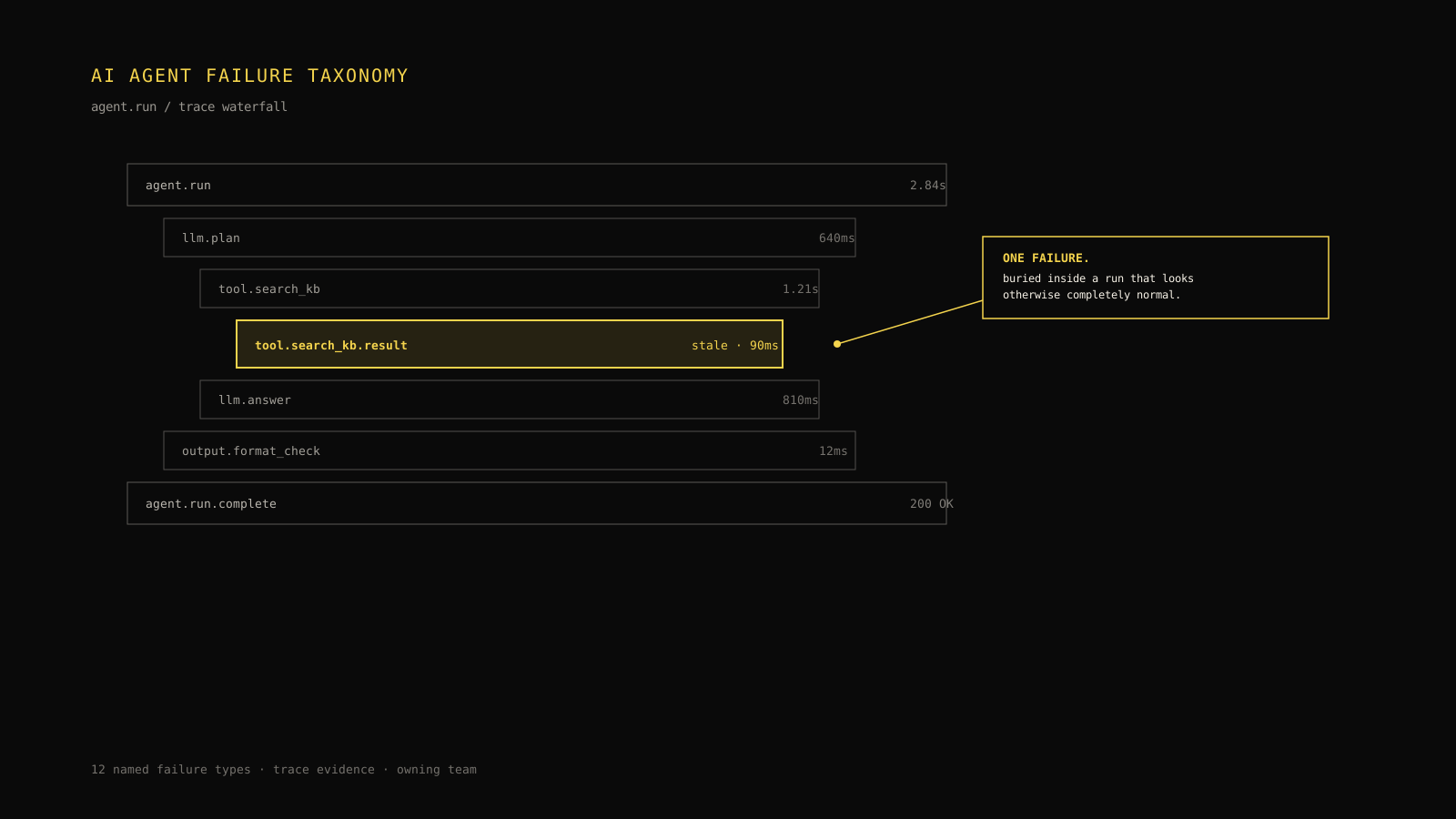
An on-call engineer gets paged because a support agent told a customer their order qualified for a refund under a policy that expired six weeks earlier. The customer escalates, someone pulls the trace, and the trace looks fine: the model call completed, latency was within the normal band, token usage was unremarkable, and no exception was thrown anywhere in the run. Standard APM has nothing to show, because nothing crashed. The agent retrieved an old cached policy document instead of the current one, reasoned correctly over the stale input, and produced a fluent, confident, wrong answer. That is a stale retrieval failure, and it is invisible to any monitoring system that only checks whether calls succeeded.
AI agent failure modes generally fall into 12 named types: model reasoning errors, hallucinated facts, retrieval misses, stale retrieval, tool-selection errors, tool-execution errors, permission and authorization failures, context-window truncation, infinite or repeated-call loops, human-approval bottlenecks, output-format violations, and cascading multi-step failures. Each one leaves a distinct fingerprint in a trace, and each is usually owned by a different team. The rest of this article works through all 12, gives you a decision tree for classifying an unfamiliar failure fast, and walks one incident from symptom to regression test.
Failure vs. degraded quality vs. user dissatisfaction
Not every bad outcome is a failure in the sense this taxonomy cares about — classify by mechanism, not by how unhappy the user was. A failure is a specific, traceable mechanism: a wrong tool was called, a document was missing from the retrieval set, a permission check rejected a legitimate action. Degraded quality is a softer signal — response length creeping up, tone drifting, an eval score trending down over weeks — with no single traceable cause. User dissatisfaction is an outcome, not a mechanism; a user can be unhappy with a technically correct answer (wrong price quoted because the policy itself changed, not because the agent malfunctioned) or satisfied with an answer that happened to be a failure by luck. This taxonomy is for the middle category's traceable siblings: failures with a mechanism you can point to in a specific span.
That distinction matters operationally. If you route every quality complaint through failure-taxonomy triage, you'll burn engineering time debugging traces that show no mechanism at all — the model simply chose a defensible-but-suboptimal phrasing. If you route every traceable failure through a generic "quality" backlog, permission bugs and retrieval bugs sit unfixed next to phrasing nitpicks with no urgency signal. Use the taxonomy only when you can point to a specific span, tool result, or context assembly step that produced the bad outcome.
Why "hallucination" is overused as a catch-all label
"The agent hallucinated" is the most overused sentence in AI incident channels, and it is usually wrong. Strictly, a hallucination is the model inventing a fact that has no basis anywhere in its input — a citation that doesn't exist, a customer ID that was never provided, a policy clause that was never retrieved. It is a model-generation failure: the model had the right context and still fabricated something not present in it.
Most "hallucinations" reported by support teams are something else wearing the same costume. A model that correctly recites a stale document isn't hallucinating — the input was wrong, not the reasoning. A model that invents a tool argument because the tool's schema was truncated out of its context isn't hallucinating in the strict sense either — it's a context-window failure. Collapsing all of these into "hallucination" sends every incident to the model or prompt team, even when the actual owner is retrieval, tools, or platform. The taxonomy below exists specifically to stop that misrouting.
The 12-type failure taxonomy at a glance
This is the reference table. Bookmark it — it is the fastest path from "something's wrong" to "here's who to page."

| # | Failure type | One-line definition | Primary trace evidence | Typical owning team | Suggested regression-test type |
|---|---|---|---|---|---|
| 1 | Reasoning error | The model had correct, complete input but drew an invalid conclusion from it | Model span input/output pair shows sound context but an unsupported inference in the output | Model/prompt | Eval case with the same input, scored for logical validity |
| 2 | Hallucinated fact | The model asserts a fact absent from any retrieved document, tool result, or prior turn | Output claim has no matching span anywhere upstream in the same run | Model/prompt | Grounding eval that checks every claim against retrieved context |
| 3 | Retrieval miss | The document or record needed to answer correctly was never retrieved | Retrieval span returns zero or low-relevance results for a query that should have matched | Retrieval/indexing | Golden-query test asserting the expected document appears in top-k results |
| 4 | Stale retrieval | The right document was retrieved, but an outdated version of it | Retrieval span returns a document whose updated_at or version predates a known change | Retrieval/indexing | Freshness test asserting retrieved updated_at is within an SLA window |
| 5 | Tool-selection error | The model calls the wrong tool for the task, or no tool when one was required | Tool-call span name doesn't match the task category implied by the user request | Tool integration | Task-to-tool mapping eval over a labeled request set |
| 6 | Tool-execution error | The right tool was called, but with malformed arguments or it returned an error | Tool-call span succeeds at selection but the result payload is an error or malformed | Tool integration | Schema-validation test plus a fault-injection test for the tool's error paths |
| 7 | Permission/authorization failure | The agent attempted an action its credentials or policy don't allow | Tool-call span returns a 401/403-class result, or a policy-check span denies the action | Platform/security | Authorization test asserting denial for out-of-scope actions and success for in-scope ones |
| 8 | Context-window truncation | Required information was dropped from the model's input because it didn't fit | Model span input is missing content present earlier in the run's assembled context | Platform/context management | Token-budget test asserting critical fields survive truncation under load |
| 9 | Loop/repeated-call failure | The agent calls the same or a near-identical tool repeatedly without progress | Multiple tool-call spans with near-identical arguments and no change in downstream state | Platform/control loop | Loop-detection test asserting the run terminates within an attempt budget |
| 10 | Human-approval bottleneck | The run correctly paused for human approval, but the approval never arrived in time or at all | A span enters an awaiting_approval state and the run either times out or stalls indefinitely | Product/workflow | End-to-end test asserting escalation and timeout behavior for pending approvals |
| 11 | Output-format violation | The final response breaks a required structural contract (JSON schema, required fields, length limit) | Final span output fails schema validation even though upstream reasoning was sound | Model/prompt or platform (contract owner) | Schema-conformance test run against every release candidate |
| 12 | Cascading multi-step failure | An early, minor failure compounds across later steps into a materially wrong final outcome | A chain of spans shows an early anomaly that later spans build on without re-verification | Whichever team owns the originating span | Multi-step scenario test that reproduces the full chain, not just the final output |
Model and reasoning failures
Model and reasoning failures are the two types most often confused with each other, and the confusion has real routing consequences: both usually land with the model/prompt team, but the fix looks completely different.
Reasoning errors vs. hallucinated facts
A reasoning error happens when the model has everything it needs and still gets the logic wrong — misapplying a discount rule, miscounting eligible items, drawing a conclusion the input doesn't actually support. The trace shows a clean input: the right documents were retrieved, the right tool results came back, nothing was truncated. The defect is entirely in the inference step. You fix this with prompt structure (breaking a multi-step calculation into explicit steps), a stronger or better-suited model, or a verification step that checks the model's own arithmetic or logic before it reaches the user.
A hallucinated fact happens when the model asserts something that isn't grounded in any upstream span at all — a policy clause that was never retrieved, an order status that no tool ever returned. The trace shows the claim in the output with no corresponding source anywhere earlier in the run. You fix this differently: tighter grounding instructions, a citation requirement the model must satisfy before asserting a fact, or a post-generation check that flags ungrounded claims for review before they reach the user. Conflating these two wastes the fix cycle — a grounding instruction doesn't help a genuine arithmetic mistake, and step-by-step prompting doesn't stop a model from inventing a fact it was never given.
Both failure types are best understood by reading the full span chain, not just the final answer — the practice covered in more detail in debugging AI agents in production, which walks through reconstructing a run from its spans rather than guessing from the outcome alone.
Trace evidence: model span inputs, outputs, and confidence signals
The diagnostic move for both failure types is the same: open the model span, read the exact input it received (not the prompt template — the fully rendered input, with retrieved documents and tool results substituted in), and check whether the output is supportable from that input. If the input is correct and complete and the output still doesn't follow, it's a reasoning error. If the output contains a specific, checkable claim that appears nowhere in the input, it's a hallucination. Where available, log-probability or confidence signals on the specific claim can help prioritize triage, but they're a secondary signal — the input/output comparison is the primary one, because confidence scores can be high on a fluently stated fabrication.
Retrieval failures
Retrieval failures are the ones most likely to be mistaken for model failures, because the model's reasoning is often flawless given what it was handed — the defect is upstream.
Retrieval miss vs. stale retrieval vs. irrelevant retrieval
Three distinct things can go wrong at the retrieval step, and they need different fixes:
- Retrieval miss: nothing relevant was returned at all. The query didn't match any indexed document, often because of a phrasing mismatch, a missing embedding, or a document that was never indexed in the first place. Fix: improve query construction, check index coverage, add the missing document.
- Stale retrieval: the right document was found, but an outdated version of it — exactly what happened in the refund-policy incident that opened this article. Fix: version-aware indexing, cache invalidation tied to document updates, or a freshness check before the retrieved content is trusted.
- Irrelevant retrieval: something was returned, and it's current, but it doesn't actually answer the query — a near-match that passed a similarity threshold without being substantively relevant. Fix: tighter relevance scoring, reranking, or a stricter similarity cutoff.
All three produce the same symptom class — a wrong or unsupported answer with a "successful" retrieval span — which is why the trace has to be read at the document level, not just checked for a non-empty result set. A retrieval span returning one document is not evidence of correctness; it's evidence that something was returned.
| Retrieval failure | What the span shows | Fastest diagnostic check |
|---|---|---|
| Miss | Zero results, or results below the relevance threshold | Does a manual search for the same query surface the expected document? |
| Stale | A document with a version or updated_at timestamp older than a known change | Compare the retrieved document's timestamp to the source system's current version |
| Irrelevant | A document that matches superficially but doesn't address the query's actual need | Read the retrieved content against the query as a human would, not just the similarity score |
Tool-calling failures
Tool-calling failures split cleanly into two categories that are frequently conflated in incident write-ups, and the split determines who gets paged.
Tool-selection error vs. tool-execution error
A tool-selection error is a routing mistake: the agent picks the wrong tool, or fails to call any tool when one was required. The task category implied by the request doesn't match the tool that was actually invoked — a refund request routed to an order-lookup tool instead of a refund-processing tool, or no tool called at all when the answer required a live lookup. This is usually a prompt or tool-description problem: the tool's description didn't clearly signal when to use it, or the model wasn't given a strong enough instruction to prefer tool use over answering from memory.
A tool-execution error is different: the right tool was selected, but the call itself failed — malformed arguments that don't match the tool's schema, or a call that reached the tool but got back an error response (a timeout, a 4xx/5xx, a malformed payload). This is squarely a tool-integration problem: fragile argument construction, an under-specified schema, or the downstream service itself misbehaving.
The fastest way to tell them apart is to check whether a tool-call span exists at all, and if it does, whether its name matches the task before checking whether its arguments or result are valid. If no relevant tool-call span exists, it's selection. If one exists with the right name but a bad payload or error result, it's execution.
Argument-construction failures
A specific and common execution failure deserves its own callout: the model selects the correct tool but constructs arguments that don't match its schema — a string where a number was expected, a missing required field, a date in the wrong format. This produces the most confusing trace pattern in this category, because the tool-call span exists, has the right name, and still fails. The fix is schema validation before execution (reject and return a structured error the model can act on, rather than letting a malformed call reach a live dependency) plus, if it recurs for one tool, tightening that tool's parameter descriptions so the model constructs arguments correctly more often.
// Illustrative trace excerpt — not sampled from a live Tracify trace.
// Contrasts a tool-selection failure with a tool-execution failure for the same user request.

{
  "run_id": "run_illustrative_01",
  "user_request": "Process a refund for order 88213, item was damaged in transit",
  "spans": [
    {
      "span_id": "span_a",
      "type": "tool_call",
      "tool_name": "lookup_order_status",
      "arguments": { "order_id": "88213" },
      "result": { "status": "success", "order_status": "delivered" },
      "note": "Selection error: the correct tool was 'process_refund', not a status lookup. No refund tool was ever called for this request."
    }
  ]
}
// Illustrative trace excerpt — not sampled from a live Tracify trace.
// The same request, this time with a tool-execution error instead of a selection error.

{
  "run_id": "run_illustrative_02",
  "user_request": "Process a refund for order 88213, item was damaged in transit",
  "spans": [
    {
      "span_id": "span_b",
      "type": "tool_call",
      "tool_name": "process_refund",
      "arguments": { "order_id": 88213, "reason_code": "damaged_in_transit" },
      "result": { "status": "error", "error": "schema_mismatch: order_id must be a string" },
      "note": "Execution error: correct tool selected, but order_id was constructed as a number instead of the string type the schema requires."
    }
  ]
}
Permission and authorization failures
A permission/authorization failure is the agent correctly identifying what it wants to do and being correctly (or incorrectly) blocked from doing it. The trace shows a policy-check span or a tool-call span returning a 401/403-class result. This category has an important asymmetry: sometimes the denial is correct behavior (the agent tried something outside its intended scope, and the guardrail worked) and sometimes it's a bug (a legitimate action was blocked by an overly broad policy or a stale credential). Don't file every permission denial as an incident — check whether the attempted action should have been allowed before treating the denial itself as the failure.
When it is a genuine failure, ownership sits with platform or security, not with the model or prompt team, because the fix is a policy, scope, or credential change, not a prompt change. A common variant worth calling out separately: the agent attempts an action that would have been fine for one tenant or user role but not another, and the trace shows the policy check firing correctly against the wrong scope — that's a platform bug in scope resolution, not a security failure in the traditional sense.
Context and memory failures
Context-window truncation
Context-window truncation happens when information the agent needs was assembled into its context at some point in the run but didn't survive into the final model input because the total didn't fit the window. This is one of the harder failures to catch because nothing errors — the model simply reasons correctly over an incomplete input, the same shape of problem as stale retrieval but with a different cause. The trace evidence is a model span whose input is missing content that an earlier span (a tool result, a retrieved document, a prior turn) clearly produced. If you only inspect the final model call, this looks identical to a reasoning error; you have to compare the final input against everything the run assembled upstream of it.
The fix is rarely "give it a bigger window." A larger context budget delays the problem without addressing why low-priority content is competing with high-priority content for space. Better fixes: prioritize what goes into the context (system instructions and the most recent, most relevant tool results first), summarize or drop stale history more aggressively, and monitor how close each run gets to the limit so truncation is a known event rather than a silent one.
Cross-session memory bleed
A related but distinct failure: information from one user's session, or one earlier session with the same user, leaking into a context where it doesn't belong — an agent referencing a prior conversation's details in a session that should have started clean. The trace evidence is content in the model's input that has no source anywhere in the current run's span chain but does match a different run's spans. This is usually a memory-store or session-scoping bug (a cache key collision, a session ID reused incorrectly) rather than a model problem, and it deserves urgent platform attention because of the privacy implications, not just the correctness ones.
Loop and repetition failures
A loop failure is the agent calling the same or a near-identical tool repeatedly without the run making progress toward a terminal state. The trace shows a sequence of tool-call spans with matching or near-matching arguments and no meaningful change in the state each call is querying or acting on. This usually happens because a tool result didn't give the model a clear enough signal that the goal was already satisfied, so the model interprets an ambiguous or unexpected result as "try again" rather than "done" or "give up."
The fix is a control-loop change, not a prompt change: a hard attempt budget per tool per run, a check for repeated near-identical calls that forces the agent to stop and either escalate or answer with what it has, and clearer tool result semantics (an explicit already_completed field, for instance, rather than a result the model has to infer completion from). Retry and fallback policy design for this category is covered in more depth in reliability patterns for retries and guardrails, including how to distinguish a legitimate bounded retry from a loop that should be stopped.
Human-approval and escalation failures
Some runs are designed to pause for human approval before taking a consequential action, and a human-approval bottleneck is what happens when that pause doesn't resolve the way the design intended — the approval request goes unanswered, gets lost in a queue no one monitors, or the run has no timeout and simply stalls indefinitely rather than escalating further. The trace shows a span entering an awaiting_approval or equivalent state with no terminal resolution within the expected window.
This is a product/workflow ownership problem more than a technical one: the fix is usually a defined timeout with an escalation path (route to a different approver, notify a backup channel, or fail safely to a "couldn't complete, here's why" state) rather than a change to the agent's reasoning. A run stuck waiting for approval with no timeout is functionally the same failure as an infinite loop from the user's perspective — nothing resolves — even though the mechanism and the owning team are completely different.
Output-contract and formatting failures
An output-format violation is a final response that breaks a required structural contract — invalid JSON where JSON was required, a missing required field, a response exceeding a length limit a downstream system depends on. The trace shows sound upstream reasoning; the defect is entirely in the final formatting step. This is deceptively easy to miss in manual trace review because the content is often substantively correct — a human reading the response would call it a good answer — while the structure that a downstream system depends on is broken.
Ownership depends on who owns the contract: if it's an internal API contract between the agent and another system, platform typically owns it; if it's a user-facing format requirement embedded in the prompt, model/prompt owns it. Either way, the most reliable fix is schema validation on every response before it's treated as final, with a single bounded retry that re-prompts specifically for the violated field rather than the whole response.
Cascading and multi-step failures
A cascading failure is what happens when an early, often minor, defect compounds through later steps into a materially wrong final outcome — a retrieval miss on step two feeds a reasoning error on step four, which drives a tool call with wrong arguments on step six, and the final response is confidently wrong in a way that looks like it could have any of a dozen causes. The trace shows a chain of spans where a later step builds directly on an earlier one without re-verifying it.
This is the hardest category to diagnose because the symptom appears far downstream of the mechanism, and it's also the reason ownership for this category is "whichever team owns the originating span" rather than a fixed team — you have to walk the chain backward from the final wrong output to find the first span where things actually went wrong, then apply whichever single-type diagnosis applies there. The fix that generalizes best across cascades isn't fixing the specific chain after the fact; it's adding re-verification checkpoints between major steps so an early defect can't silently propagate five spans deep before anyone notices.
From symptom to root cause: a diagnostic decision tree
Use this when you're mid-incident and don't yet know which of the 12 types you're looking at. Work top to bottom; stop at the first question that resolves.
- Did any span return an explicit error (non-2xx, exception, denial)?
- Yes, from a tool call → tool-execution error (type 6) or, if it's a 401/403-class denial, permission/authorization failure (type 7).
- Yes, from a policy check → permission/authorization failure (type 7).
- No explicit error anywhere → continue.
- Is the final response missing a tool-call span that the task clearly required?
- Yes → tool-selection error (type 5).
- No → continue.
- Do the same or near-identical tool-call spans repeat three or more times?
- Yes → loop/repeated-call failure (type 9).
- No → continue.
- Is the run stuck in an
awaiting_approvalor equivalent state past its expected window?- Yes → human-approval bottleneck (type 10).
- No → continue.
- Does the final output fail schema or format validation even though the content reads as reasonable?
- Yes → output-format violation (type 11).
- No → continue.
- Compare the final model span's full input against everything assembled upstream in the run. Is anything missing that an earlier span produced?
- Yes → context-window truncation (type 8), or cross-session memory bleed if the missing/extra content traces to a different run entirely.
- No → continue.
- Does the output contain a specific claim with no matching source anywhere in the input?
- Yes → hallucinated fact (type 2).
- No → continue.
- Was the retrieved document wrong, missing, or outdated?
- Retrieval span empty or low-relevance → retrieval miss (type 3).
- Retrieval span returned an outdated version → stale retrieval (type 4).
- No → continue.
- Given fully correct and complete input, does the output still not follow logically?
- Yes → reasoning error (type 1).
- No, and the failure traces back through multiple earlier steps compounding → cascading multi-step failure (type 12).
Decision rule: Never classify from the final answer alone. Every branch above requires opening at least one upstream span. A failure type assigned from the symptom text without reading the trace is a guess, not a diagnosis.
Who owns each failure type
Ownership determines routing speed during an incident, and it's worth stating as policy before the next page fires rather than negotiating it live. The taxonomy table above has an owner column; here's the reasoning behind the groupings.
Model/prompt owns failures where the defect is in what the model does with correct input: reasoning errors, hallucinated facts, and the model-authored side of output-format violations. Retrieval/indexing owns retrieval misses and stale retrieval — anything where the document set itself was wrong before the model ever saw it. Tool integration owns tool-selection and tool-execution errors — the boundary between the agent and external systems. Platform owns context-window management, loop/control-loop behavior, permission and scope resolution, and the platform-authored side of output contracts. Product/workflow owns human-approval design and escalation paths, because the fix is a workflow decision, not a technical one. Cascading failures don't get a fixed owner; they route to whoever owns the originating span once the chain is traced backward.
Retry and fallback policy sits across several of these categories — deciding which failure classes are safe to retry, with what budget, and which must fail closed — and is covered as its own topic in reliability patterns for retries and guardrails rather than repeated here.
Turning a failure into a regression test
A failure that gets fixed but never becomes a test will recur, usually in a form just different enough to slip past the original fix. The conversion from incident to regression test is mechanical once you've classified the failure correctly:
- Capture the exact input. The user request, and where relevant, the state of any upstream data (which document version was live, what the tool would have returned) at the time of the failure.
- Capture the failure signature, not just the bad final output — the specific span and field that proved the mechanism (a stale
updated_at, a malformed argument, a missing tool-call span). - Write the expected behavior, not just "don't do the bad thing" — what should the retrieval span have returned, what tool should have been called, what should the final format have been.
- Choose a deterministic check where one exists (schema validation, a specific document ID appearing in retrieval results, a specific tool being called) over a model-based judge; reserve model-based evaluation for cases where correctness genuinely requires judgment, like reasoning quality.
- Add it to the regression suite that runs before release, not a one-off script that only the person who fixed it remembers to run.
This process, and the broader question of how regression suites should be structured and maintained for agent behavior specifically, is the subject of regression testing for AI agents — worth reading in full if your team doesn't yet have a standing suite this kind of case can go into.
Worked incident: a support agent that keeps re-opening resolved tickets
Take a second incident, distinct from the opening one, to practice the decision tree end to end. A support agent is supposed to check ticket status before taking action and skip tickets already marked resolved. On-call gets paged because a customer received a follow-up message on a ticket that had been resolved two days earlier — the agent re-engaged with a closed case.
Walking the decision tree: no span returned an explicit error, so type 6/7 are out. The trace does show a tool-call span for check_ticket_status — so it's not a selection error. No repeated near-identical calls, so not a loop. Nothing is stuck in an approval state. The final output is well-formed, so not a format violation. Here's where it resolves: comparing the model's final input against the full run shows the check_ticket_status tool call happened and returned resolved, but that result was three tool calls and several thousand tokens earlier in a long-running session, and by the time the model generated its response, that specific field had fallen out of the assembled context while less relevant, more recent conversational turns stayed in. That's context-window truncation (type 8): the evidence needed to skip the ticket existed in the run, but didn't survive into the model's actual input.
The healthy version of this trace and the failing version differ in exactly one place — which fields survived context assembly — while every other span is identical:
// Illustrative comparison — not sampled from a live Tracify trace.
// Healthy run: the resolved-status field survives into the final model input.

{
  "run_id": "run_healthy_illustrative",
  "final_model_input_excerpt": {
    "ticket_status": "resolved",
    "resolved_at": "2026-08-30T14:02:00.000Z",
    "recent_turns": ["...", "..."]
  },
  "model_output": "This ticket is already resolved; no further action needed."
}
// Illustrative comparison — not sampled from a live Tracify trace.
// Failing run: the same field was produced upstream but dropped before the final model call.

{
  "run_id": "run_failing_illustrative",
  "upstream_tool_result": { "ticket_status": "resolved", "resolved_at": "2026-08-30T14:02:00.000Z" },
  "final_model_input_excerpt": {
    "recent_turns": ["...", "...", "...", "...", "...", "...", "..."]
  },
  "note": "ticket_status was produced by an earlier span but truncated out of the final context by the time the model generated a response.",
  "model_output": "Following up on this ticket to make sure everything is resolved..."
}
The fix wasn't a bigger context window — the team instead pinned status-determining fields (ticket status, resolution timestamp) to survive truncation regardless of recency, since they're small, load-bearing, and cheap to keep in every turn, while trimming older conversational turns more aggressively to make room. The incident became a regression test asserting that ticket_status is present in the final model input for any run exceeding a defined turn count — a deterministic, cheap check that would have caught this before it reached a customer. For the broader operational side of handling an incident like this one — who gets paged, what the immediate containment step is, how the postmortem gets written — see incident response for AI agents.
Try it: classify a symptom
Pick a short symptom description below to see which of the 12 failure types it maps to, the reasoning behind the classification, and the trace field that would confirm it. This reuses Tracify's existing failure-mode explorer component as a fixed, deterministic lookup — selecting an option only swaps locally rendered text; it does not call a model, run a live classifier, or read production data. If you'd rather see the full mapping as a static table, the taxonomy table earlier in this article and the symptom-to-cause table above cover the same ground without the widget.
Failure classifier
Choose the symptom that best matches what you're seeing. Each option shows the failure type, the one-line justification, and the trace field that confirms it.
Symptom
The agent states a specific policy or fact confidently and fluently, but it's outdated. Retrieval succeeded and returned a document.
Recommended handling
Stale retrieval (type 4). The right document was found, but its version or updated_at timestamp predates a known change. Reasoning over the document was correct — the input was wrong.
retrieved_doc.updated_at < known_change_dateThis is a static reference: selecting a failure mode swaps locally rendered text and a code snippet. It does not execute a call, run a model, or read production data.
Make the operating decision
Every incident in this taxonomy resolves the same way operationally: read the spans before naming the failure, confirm the mechanism against the trace evidence column rather than the symptom, route to the owning team named in the table, and close the loop by adding a deterministic regression case so the same mechanism can't silently recur. Teams that skip the last step tend to see the same failure reappear under a different symptom a few weeks later, because the underlying mechanism — a truncation policy, a stale-cache path, an under-specified tool schema — was never actually addressed.
Leave the reader with the next move
- [ ] The failure has been classified against a specific span, not guessed from the symptom.
- [ ] The trace evidence column for that type has been confirmed in the actual run.
- [ ] The failure has been routed to the owning team named in the taxonomy table.
- [ ] The incident has been converted into a deterministic regression test case.
- [ ] If the failure is part of a cascade, the chain has been walked back to its originating span before closing the ticket.
If you want to see what a failed run's full trace actually looks like rather than the illustrative excerpts here, the Trace Viewer product page shows the same span-by-span structure this taxonomy is built on.
Frequently asked questions
Is every wrong AI agent answer a hallucination?
No. Hallucination is one specific failure type — the model asserting a fact with no basis anywhere in its input. Retrieval, tool, permission, and context failures all produce wrong answers without the model inventing anything; the input was wrong or incomplete, not the model's reasoning.
How do I tell a tool-selection failure from a tool-execution failure?
Selection means the wrong tool was called, or none was called when one was required — check whether a relevant tool-call span exists at all. Execution means the right tool was called but with bad arguments or it returned an error — check the arguments and result of that span.
What causes an AI agent to loop?
Usually a tool result the model doesn't recognize as satisfying the goal, so it retries a similar call expecting a different outcome. The trace shows repeated near-identical tool-call spans with no meaningful change in the state each call queries or acts on.
Who owns a retrieval failure?
Typically whoever owns the retrieval or indexing pipeline, since the model behaved reasonably given the document set it was handed. That's true whether the mechanism is a retrieval miss, a stale document, or an irrelevant match.
How do I convert a failure into a regression test?
Capture the exact input, the failure signature at the specific span and field that proved the mechanism, and the expected behavior. Score it with a deterministic check where one exists — schema validation, a specific document appearing in retrieval results — rather than a model-based judge, and add it to the suite that runs before every release.
Practical field notes from the team building Tracify and operating AI agents in production.
Related posts



Next in the loop
AI Agent Observability vs Traditional APM: What Changes and What Stays the Same?
Keep reading →